





Seller Registration Guide and Dashboard
1. CREATE SELLER ACCOUNT
1.1 Access your account
If you already have a seller account, you can log in directly with your email and password.

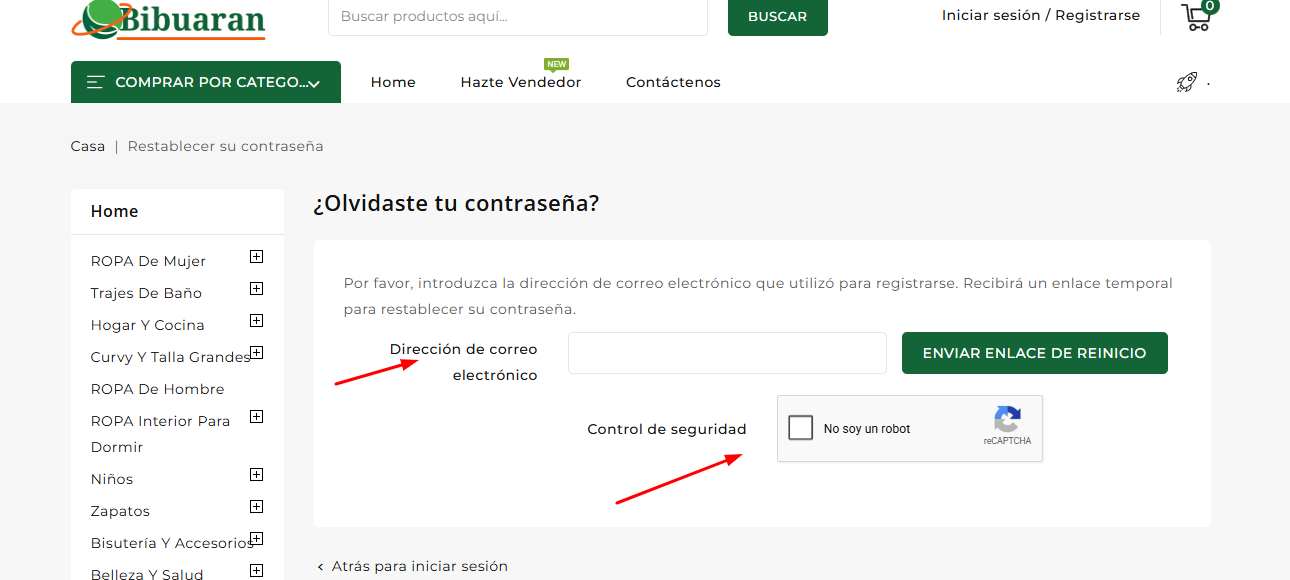
If you forgot your password, you can regain access by creating a new password.
1.2 Recover your password
If you forgot your password, you can regain access by creating a new password.

You will be redirected to the next panel. Be sure to validate the security check.
1.3 Create account
To create your account, simply enter the following:
- First name
- Last name
- Password
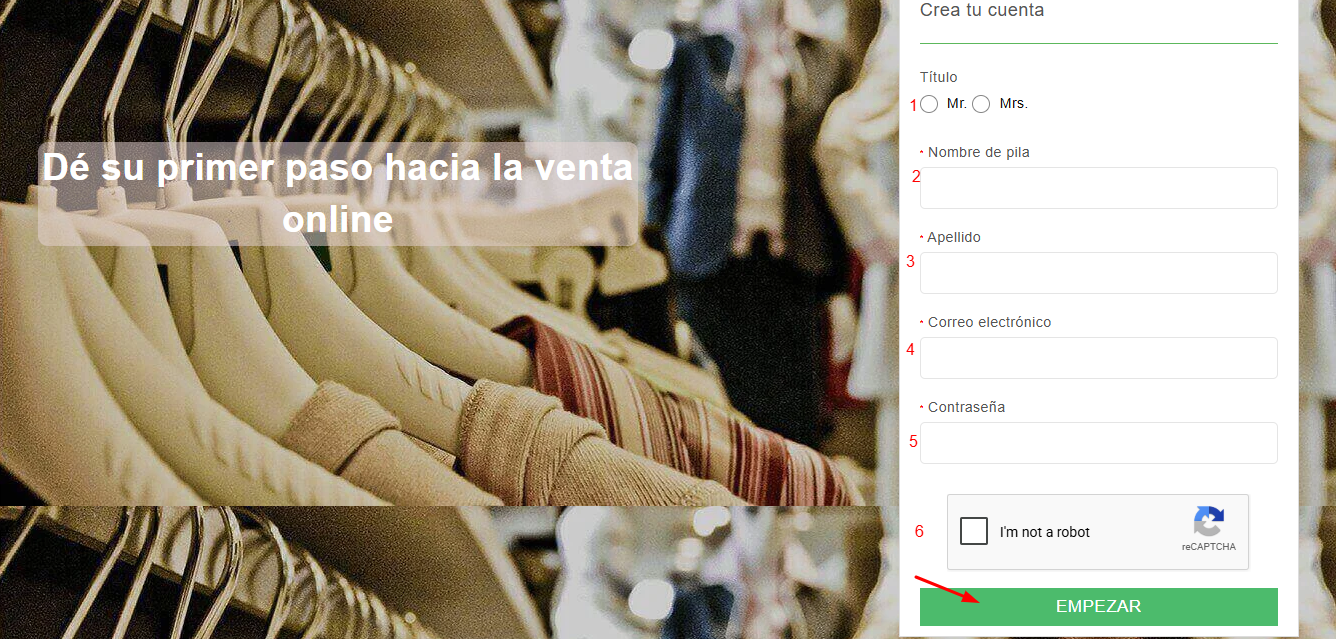
- Check the reCAPTCHA (to confirm you are not a robot)
Once this information is completed, you can proceed to the next step.
2. CREATE STORE
Fill in the basic information for your store:
- Unique name (visible in the URL)
- Store name visible to customers
- Country
- City
- State
- Postal code
- Number
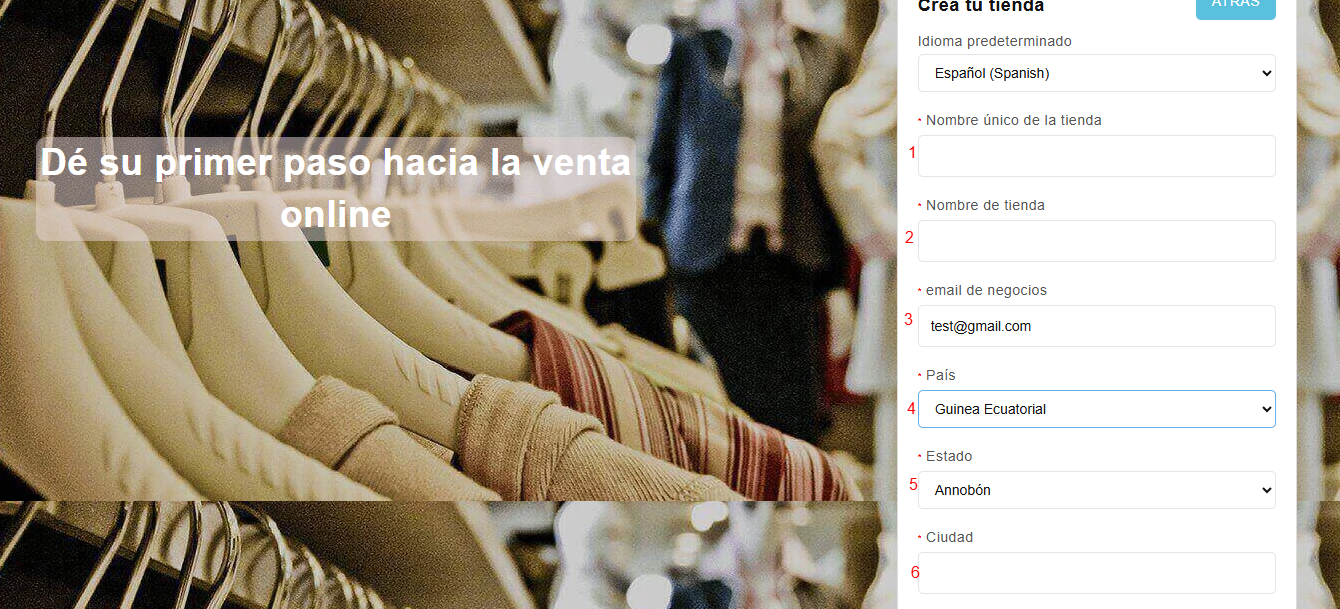
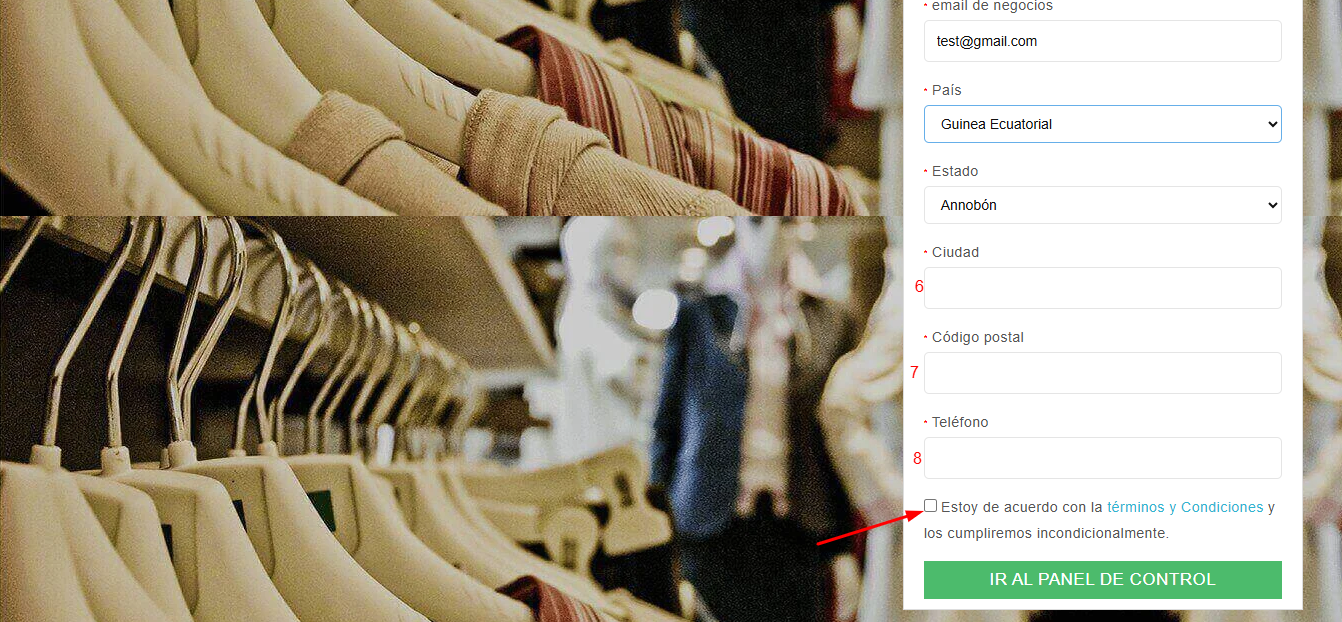
The unique name will be visible in the store URL, so it is recommended to use the same name as the store.
You can also use the same email you used to create the account.
Finally, you must check the "Terms and Conditions" box.
3. ADMIN PANEL
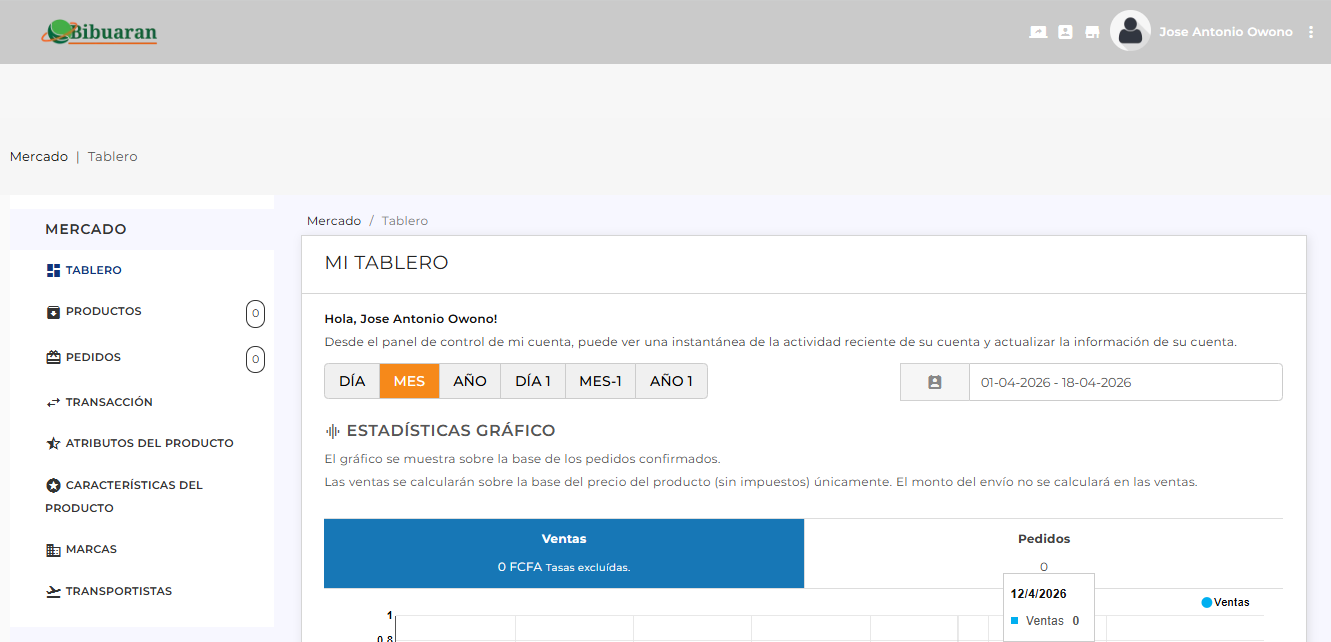
The admin panel is where you will manage your store: products, orders, and sales. You will also be able to view statistics and impressions.
3.1 Main Menu
- Dashboard → Overview of your activity
- Products → Manage and add products
- Orders → View and manage orders
- Transactions → Income and payment control
- Product Attributes → Variations (size, color, etc.)
- Product Features → Technical specifications
- Brands → Brand management
- Carriers → Shipping configuration
3.2 Dashboard
The dashboard is the main screen where you can see an overview of your activity.
- View a welcome message
- Check recent activity
- Access sales statistics
3.3 Statistics
The system shows a chart based on confirmed orders.
- Sales: Total generated excluding taxes
- Orders: Total number of orders
3.4 Date Filter
You can select a date range to analyze your results.
Example: 01-04-2026 to 18-04-2026
3.5 Recent Orders
In this section, you will see the latest orders with the following information:
- Reference
- Customer
- Total
- Order status
- Payment method
- Date
- Track your sales
- Track your orders
- Analyze your store's performance
- Easily manage your products
QUICK SUMMARY
- Register as a seller
- Create your store
- Add your products
- Process the orders
- Start earning